
LEO UGA is the single entry point to all digital services of the University Grenoble Alpes. Behind this centralized authentication interface are email, course platforms, schedules, and administrative procedures. The success of the connection depends on several parameters that can be isolated and compared: the type of identifier, the student status, and the access point used.
AGALAN Identifiers and LEO Access Points: What Distinguishes the Paths
The University Grenoble Alpes does not offer a single path to access its digital services. Depending on the profile (newcomer, re-registered student, doctoral student), the process for obtaining identifiers and the entry point varies. The table below summarizes these differences based on official information.
| Student Profile | Obtaining Identifiers | Activation Delay | Main Access Point |
|---|---|---|---|
| Newcomer (all fields) | Email sent to the address provided at registration, with a one-time link | Two days after the completion of registration | LEO authentication page (leo.univ-grenoble-alpes.fr) |
| Newcomer IAE, IUT2, IUT Valence | Email sent upon pre-registration | Two days after pre-registration | LEO authentication page |
| Re-registered student | Identifiers retained from the previous year | Immediate (account already active) | LEO or student portal depending on usage |
The key point to remember: an account cannot be activated on the same day as registration. This two-day delay is a technical constraint documented by the university, not a malfunction. Some services remain inaccessible until the day after activation.
For re-registered students, the situation is simpler since the AGALAN account remains active from one year to the next. However, a change in component or level may modify the services accessible from the portal, without changing the identifier itself.
A detailed guide on connecting to LEO UGA allows you to visualize each step of the authentication process, from receiving the activation email to actual access to digital tools.

LEO UGA Connection Failure: Common Technical Causes
The LEO authentication page relies on a centralized CAS service (Central Authentication Service). This mechanism redirects the user to the requested service after verifying the identifiers. When the connection fails, the causes fall into three distinct categories.
Identifiers Not Yet Activated
This is the primary cause of failure at the start of the academic year. The student attempts to connect on the day of their registration, before receiving the email containing the activation link. The account simply does not yet exist in the system.
The activation email is sent to the personal address provided during administrative registration. If there is a typing error in this address, the link never arrives. In this case, student IT support is the only recourse, with the contact details provided on the student card.
Confusion Between Access Points
UGA maintains several distinct portals: the LEO authentication page, the student portal, the student intranet, and component sites. Each redirects to different spaces depending on the profile and usage. A student looking for their ADE schedule on the student portal while the direct link goes through LEO may mistakenly conclude that their identifiers are not working.
- The page leo.univ-grenoble-alpes.fr is the central authentication brick, which provides access to most digital services.
- The student portal (etudiant.univ-grenoble-alpes.fr) gathers practical information and redirects to LEO for tools requiring authentication.
- The component sites (UFR, IUT) sometimes offer direct links to specific resources, but authentication always goes through the same CAS system.
Expired Password or CAPS LOCK Lockout
The LEO login page displays a warning when the CAPS LOCK key is activated. This seemingly trivial detail generates a significant volume of lockouts. Furthermore, password reset is done through the COPASS portal (copass-client.grenet.fr), accessible from the “Forgot password” link on the LEO page.
Services Accessible After Authentication on LEO UGA
Once the connection is established, the AGALAN identifier unlocks an ecosystem of services whose scope far exceeds course consultation. All these tools share the same single sign-on mechanism.
- Zimbra Email: the university email box, used by administration and teachers for official communications.
- Moodle and Chamilo Educational Platforms: access to course materials, assignment submissions, and online assessments.
- ADE Schedule: consultation and synchronization of the schedule on smartphone or calendar app.
- Eduroam Wi-Fi: the AGALAN identifier is also used to connect to the wireless network on campus and at partner universities around the world.
- Administrative Procedures: certificates of enrollment, transcripts, educational registrations.
The architecture chosen by UGA makes LEO a unified access brick. This means that a single identifier/password pair opens all of these resources. However, it also implies that a compromised password exposes the entire digital perimeter of the student.
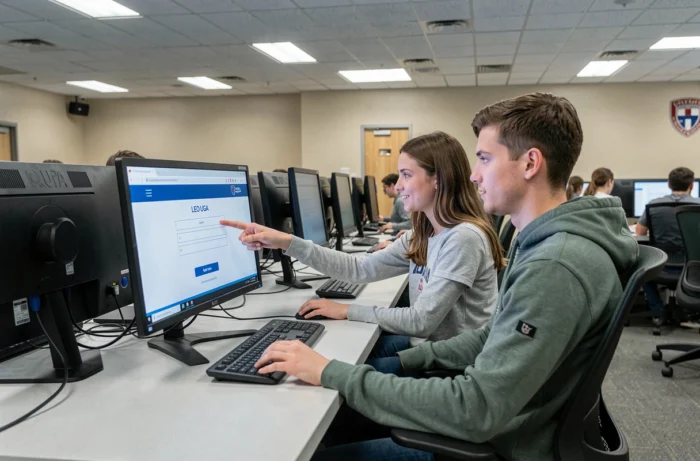
Recovering LEO UGA Identifiers: Processes and Delays
The university maintains a specific process for cases of lost identifiers, accessible via its digital services catalog. The “I don’t have my identifiers” page remains an official entry point, confirming that access recovery is a recurring operational issue at UGA.
Two situations arise. A student who has lost their password can use the COPASS portal to generate a new one, provided they have their identifier. A student who has never received the activation email or has lost their identifier must contact IT support whose contact details are on the student card and in the initial activation email.
The delay between the password reset request via COPASS and the actual processing is generally quick for just the password. For a complete identifier recovery, processing depends on the support load, particularly heavy during the start of the academic year.
The distinction between these two scenarios helps avoid overwhelming technical support for a simple password forgetfulness. COPASS handles passwords, support handles lost identifiers: keeping this division in mind saves time at the beginning of each semester.